A FIELD GUIDE TO THE CRAZYGAMES BUILD
How to play: one click per screw
There is one verb in this game. The rest is order: which screw you take, and whether its container has room.
The verb
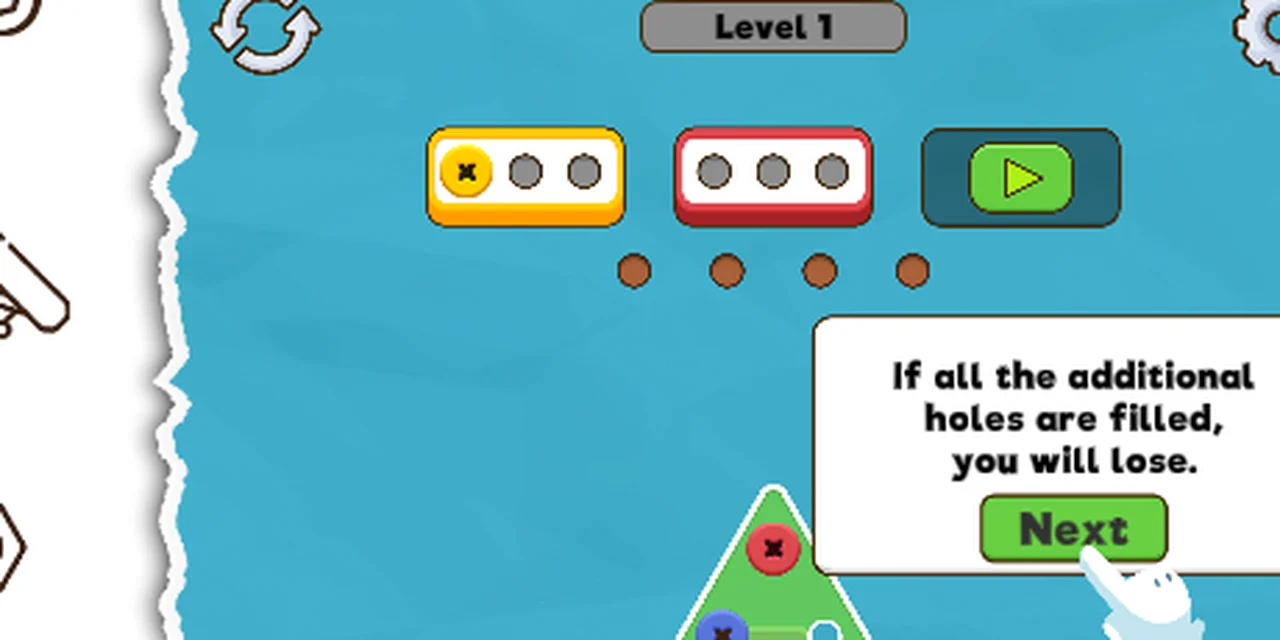
Click a screw. That is the entire control scheme we have found. There is no drag, no swipe, no keyboard step: on level 1, clicking a yellow screw moved it into the yellow container in one frame.
A screw can only go three places:
- Into its own container, if that container has an empty slot.
- Into a spare hole, if it does not.
- Nowhere, if the spare holes are full - the second tutorial line says that is a loss.
The counters
- Each container shows three circles. An empty circle is a free slot; a screw drawn in the circle is a filled one.
- The four brown dots under the containers are the spare holes. They do not take a colour; a screw of any colour can sit in one.
- The green bar inside the
Level Nchip grows when a container fills, not when a screw is removed. We saw it jump when the yellow container cleared.
What clearing a container looks like
When the third screw goes into a container, the entire container disappears from the HUD and the progress bar gains a segment. The next wave of containers slides in - on level 1 that was blue and brown, arriving the moment red cleared.
That is the trap for a first-time player: the board still had more colours on it than the containers could take, so the order you take them in decides whether the spare holes survive.
A worked example
Level 1, in the order that worked:
- take the three yellow screws - the yellow container fills and vanishes;
- take the three red screws - red vanishes, blue and brown arrive;
- take the three blue and three brown screws;
- the board empties, the play button becomes the only thing left, and pressing it shows
LEVEL COMPLETED!with a coin worth 100.
Not tested
- Whether clicking a screw twice does anything (we clicked once each time).
- Whether the restart arrow resets the coins earned in the level.
- Whether a screw can be pulled back out of a spare hole.
The order rule in one line
If the colour is not on the HUD, do not take the screw. That single habit is the difference between a cleared board and four filled spare holes.
Last checked against the client: 2026-11-07 · client web build 2026-11-07