A FIELD GUIDE TO THE CRAZYGAMES BUILD
From the title screen to the first screw
Nothing is hidden behind a menu. The build drops you into level 1 with two tutorial bubbles and then gets out of the way.
The order, as the client prints it
| step | what you see | what it does |
|---|---|---|
| 1 | the title card: SCREW OUT / BOLT & NUTS and five coloured screws on grey pegs | the entry point; we have not confirmed what the screws do |
| 2 | level 1, already running - no menu, no Play button | the build starts you in a level |
| 3 | a white bubble: "Fill all the containers to pass the level." with Next | rule one |
| 4 | a second bubble: "If all the additional holes are filled, you will lose." with Next | rule two |
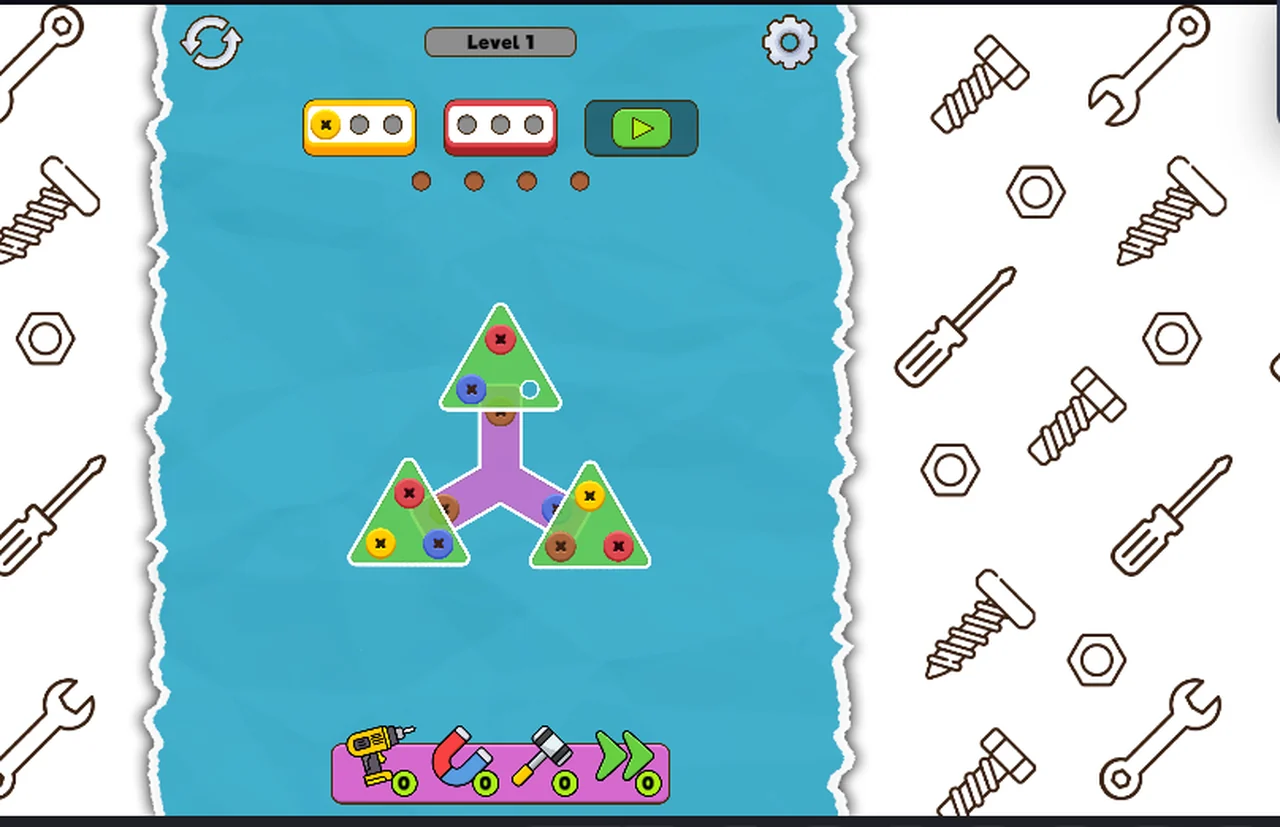
| 5 | the board with the HUD live | you can take screws |
The bubbles block the board until you press Next. We tried clicking a screw underneath the first
bubble and nothing happened - the bubble is a modal, not a tooltip.
The HUD, left to right
- A round restart arrow, top left.
- The
Level Nchip in the middle, with a green progress bar that fills as containers clear. - A gear on the right - settings.
- The containers: rounded boxes with three grey circles each while empty.
- Four brown dots in a row under the containers: the spare holes.
- A green play button on the right of the containers.
- The tool tray along the bottom of the water, four items with green counters.
Why there is no pause or menu to describe
There is no menu to write about: the first thing after the title is a live level. The only controls
we have touched are the board itself, Next on the tutorial bubbles, and the play button that ends
the level once the board is empty.
Not tested
- What the five screws on the title card do.
- Whether the gear opens settings that change the board.
- Whether the restart arrow costs anything.
- Whether there is a level select at all.
How long the opening takes
The two tutorial bubbles are one click each. From the title card to a clickable board is under ten
seconds if you press Next without reading - and the second bubble is the one worth reading, because
it is the only place the game admits you can lose.
Last checked against the client: 2026-11-07 · client web build 2026-11-07