A FIELD GUIDE TO THE CRAZYGAMES BUILD
The gear panel, and what the Menu button actually does
There is one panel in the build, and it is four items tall. Two of them are toggles that are already on.
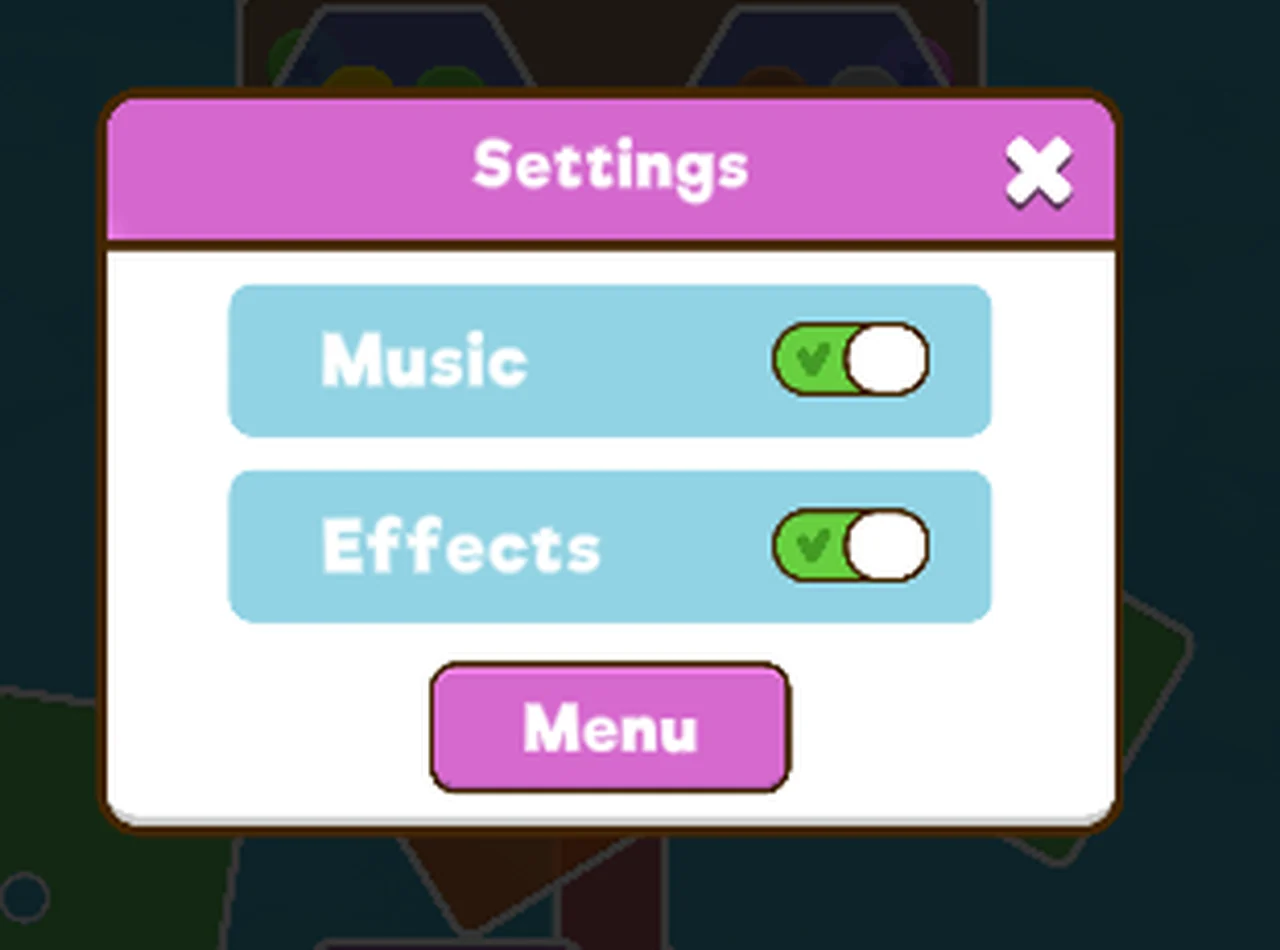
How to open it
The grey gear sits in the top right of the HUD, opposite the restart arrow. Clicking it pauses the board, darkens it, and shows the panel. The board behind stays exactly where you left it, plates and all, which is a useful reminder that the level state lives in the HUD rather than in the animation.
The four items
| item | control | state when we opened it |
|---|---|---|
| Music | toggle, green when on | on |
| Effects | toggle, green when on | on |
| Menu | pink button | - |
| (close) | white cross in the title bar | - |
Music and Effects are separate, which implies the soundtrack and the click sounds can be silenced independently. Both were on by default.
What Menu does
Menu does not open a level select. It returns to the title card: the three-line logo, the five
coloured screws on grey pegs, and a faint TAP TO PLAY under the logo.
That is the whole reason this page exists. A player who expects a level map after clearing a level is looking at the wrong screen: the build has no map, and the title card is the menu. Clicking a screw on that card is how you start or resume.
What it does not show
No level number, no star count, no coin total, no achievements, no settings persistence toggle. The panel is as small as it looks. Anything else the game tracks is being tracked off screen, or not at all.
Not tested
- Whether turning Music or Effects off survives a reload.
- Whether the Menu button keeps your level progress, or drops you to level 1.
- Whether the panel can be opened during the completion card.
- Whether a level map exists somewhere we have not clicked.
- Whether the toggles affect the portal page around the game as well as the game itself.
Last checked against the client: 2026-11-07 · client web build 2026-11-07