A FIELD GUIDE TO THE CRAZYGAMES BUILD
Plates are layers, not background
Every screw is screwed into a slab, and the slabs move. Once you see that, the empty holes stop looking like decoration.
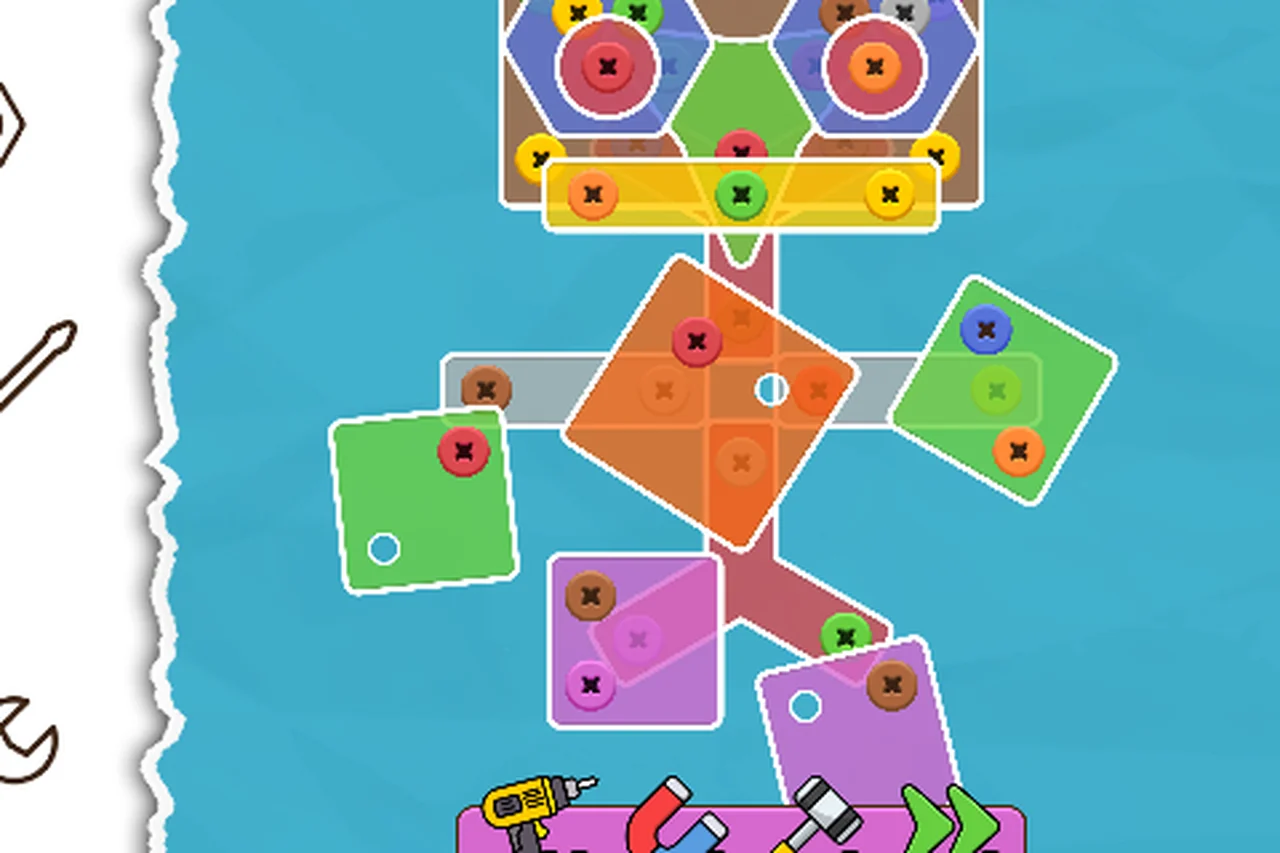
The shapes
Level 1 uses three green triangles and a purple stem. Level 2 uses blue hexagons with a red centre, an orange square, green diamonds and purple squares. The shapes are cosmetic; what matters is that each one holds several screws and each one can overlap its neighbours.
What happens when the screws leave
A plate with no screws left comes off the board. On level 1 the triangles drop away and the stem is left standing. On level 2 the slabs rotate and shift before dropping, which is why the board looks different in every other frame during a clear — the plates are not static between clicks.
That movement has a practical consequence: coordinates from one frame are stale in the next. Any automation that clicks a remembered position will miss after a plate has moved.
Empty holes
Where a screw has been removed the client leaves a small white circle on the plate. The hole stays after the screw is gone, so a plate with more holes than screws is one you have already worked on.
This is the cleanest progress signal on the board, and it is easy to miss because the holes are drawn in the plate's own colour family rather than in a warning colour.
Screws under screws
Because plates overlap, a plate that is still attached can cover the screws of the plate beneath it. Clearing a wave is therefore also clearing a layer: what becomes clickable next is not a new colour but a colour that was physically hidden.
On level 2 we watched a red screw appear in the middle of the body plate only after the shoulder plates had moved — it had been under them the whole time.
Why we describe this instead of drawing routes
A route that says "click the third screw from the left" stops being true as soon as a plate rotates. What stays true is the layer order: shoulders, then body, then the pieces that hang off the stem. Route pages on this site are written in those terms, not in pixel positions.
Not tested
- Whether plates ever fall off the board entirely, or only move aside.
- Whether a hole can accept a different colour later.
- Whether the fall is animated or an instant swap on slower machines.
Last checked against the client: 2026-11-07 · client web build 2026-11-07